> ## Documentation Index
> Fetch the complete documentation index at: https://fillout-005a867b-dependabot-npm-and-yarn-socket-io-parser-4.mintlify.site/llms.txt
> Use this file to discover all available pages before exploring further.

# Create multilingual forms

> Make multi-language forms effortlessly with Fillout. Choose from dozens of languages and translate to connect with audiences, both local and international.

export const SupportBanner = () => {
  const titleId = React.useId();
  return <div className="support-banner" role="region" aria-labelledby={titleId}>
      <span className="support-banner__ring support-banner__ring--outer" aria-hidden="true" />
      <span className="support-banner__ring support-banner__ring--middle" aria-hidden="true" />
      <span className="support-banner__ring support-banner__ring--inner" aria-hidden="true" />
      <span className="support-banner__ring support-banner__ring--center" aria-hidden="true" />

      <div className="support-banner__content">
        <div className="support-banner__title" id={titleId} role="heading" aria-level="2">Still have questions?</div>

        <div className="support-banner__copy">
          <span className="support-banner__line">Our team is happy to help. Start a live chat using the</span>
          <span className="support-banner__line">
            chat bubble <span className="support-banner__chat-icon" aria-hidden="true" /> in the bottom right, or email us at
          </span>
          <span className="support-banner__line">
            <a href="mailto:support@fillout.com">support{'@'}fillout.com</a>
          </span>
        </div>

        <a className="support-banner__cta" href="mailto:support@fillout.com">Contact us</a>
      </div>
    </div>;
};

**Fillout** supports making forms in dozens of languages:

<div style={{ display:"flex",flexDirection:"row",alignItems:"center",justifyContent:"space-between" }}>
  <div>
    Arabic\
    Catalan\
    Croatian\
    Chinese (Simplified & Traditional)\
    Czech\
    Danish\
    Dutch\
    English\
    Filipino
  </div>

  <div>
    Finnish\
    French\
    German\
    Greek\
    Hebrew\
    Hindi\
    Hungarian\
    Icelandic\
    Indonesian
  </div>

  <div>
    Italian\
    Japanese\
    Korean\
    Nepali\
    Norwegian\
    Polish\
    Portuguese\
    Romanian\
    Russian
  </div>

  <div>
    Serbian\
    Sinhala\
    Slovak\
    Spanish\
    Swedish\
    Turkish\
    Ukrainian\
    Urdu\
    Vietnamese
  </div>
</div>

<Info>
  This feature is available on **Business**, and **Enterprise** plans. Learn more about our pricing plans and advanced features [**here**](https://www.fillout.com/pricing).
</Info>

## Video overview

<iframe width="760" height="515" src="https://www.youtube.com/embed/q6Hco-VU6bM?si=VqygRQ6hvQyMtku4" title="YouTube video player" frameborder="0" allow="accelerometer; autoplay; clipboard-write; encrypted-media; gyroscope; picture-in-picture; web-share" referrerpolicy="strict-origin-when-cross-origin" allowFullScreen />

## How to change form language

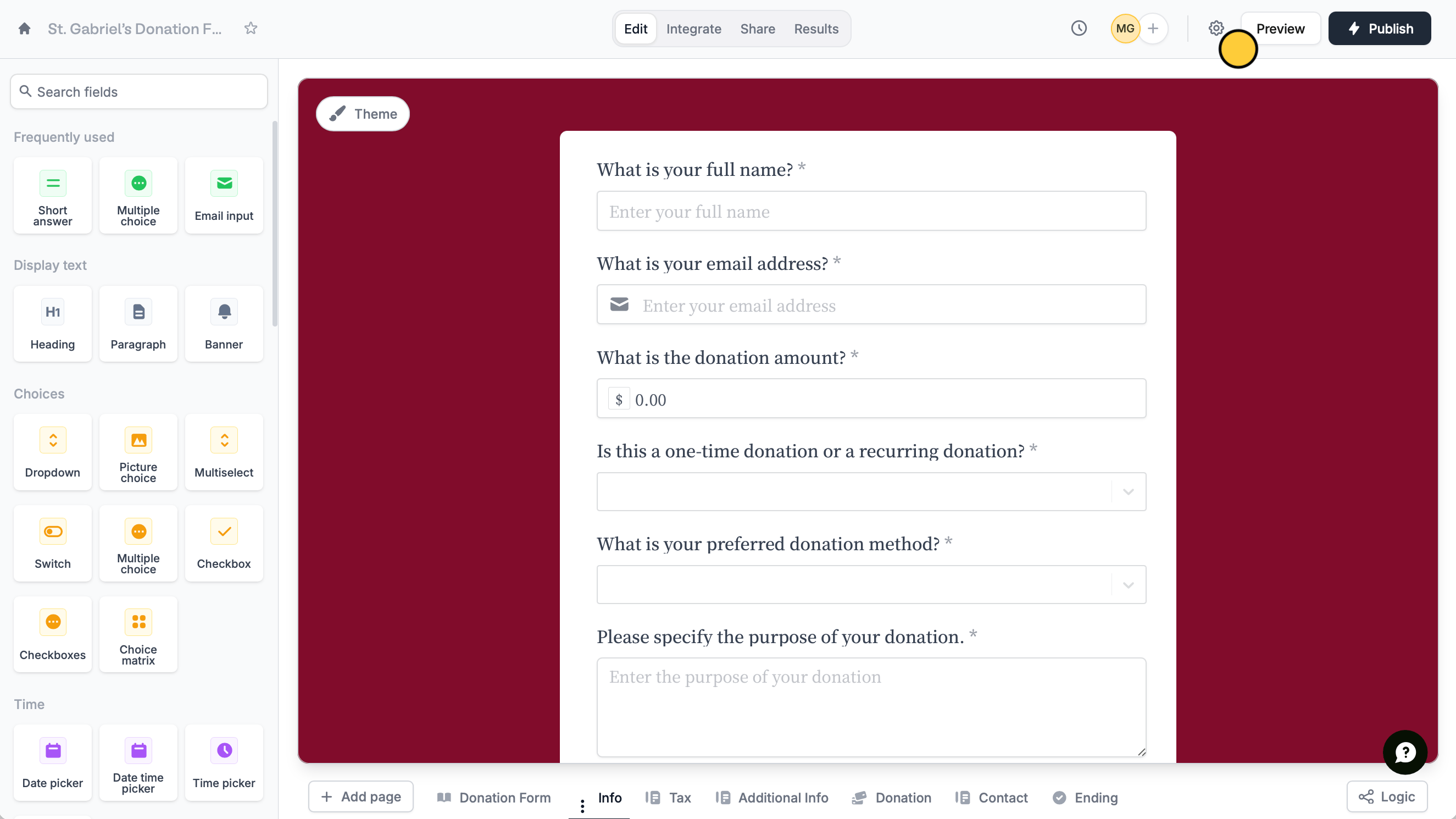
Open your form settings by clicking <Icon icon="gear-complex" /> on the upper right area.

<img src="https://mintcdn.com/fillout-005a867b-dependabot-npm-and-yarn-socket-io-parser-4/hsMElHuTl8-g90me/images/Screenshot2025-06-26at7.41.38PM.png?fit=max&auto=format&n=hsMElHuTl8-g90me&q=85&s=9892e69878d7c541f00dc69da78f57bc" alt="Screenshot 2025-06-26 at 7.41.38 PM.png" width="2650" height="1490" data-path="images/Screenshot2025-06-26at7.41.38PM.png" />

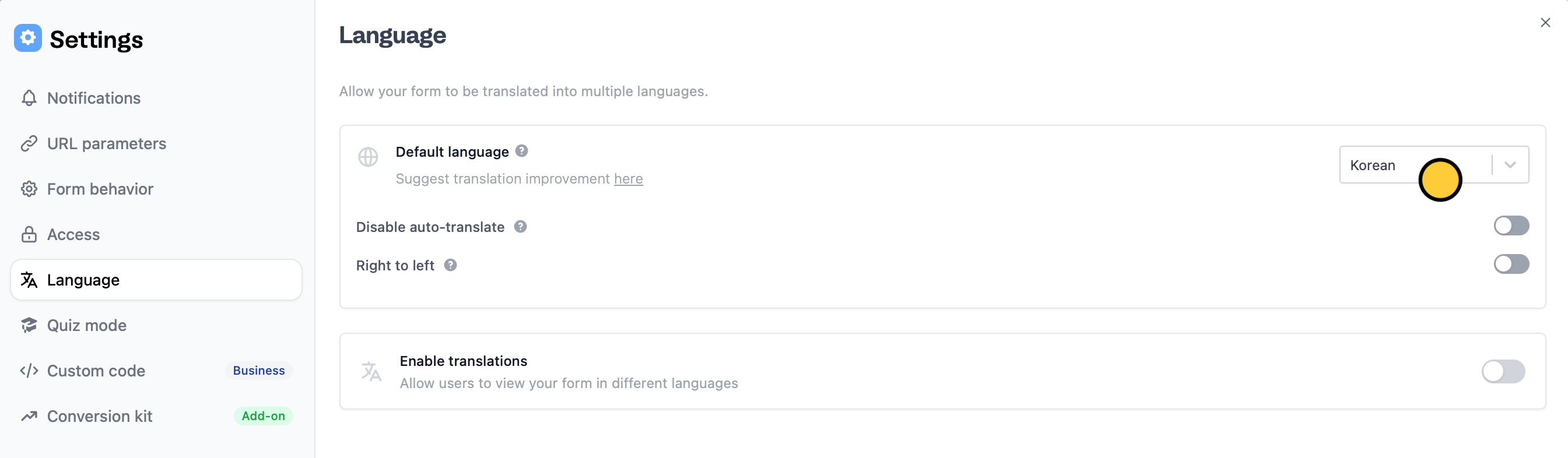
Then, click `Language` in the left-hand panel to select your preferred **Default language**. That's it! `Publish` your form and share the link.
<img src="https://mintcdn.com/fillout-005a867b-dependabot-npm-and-yarn-socket-io-parser-4/KKmYfTaGUE6kYImk/images/Screenshot2025-10-16at6.24.40PM.png?fit=max&auto=format&n=KKmYfTaGUE6kYImk&q=85&s=2bfccfc49ef7791407ac40be7eec9f43" alt="Screenshot 2025-10-16 at 6.24.40 PM.png" width="2689" height="786" data-path="images/Screenshot2025-10-16at6.24.40PM.png" />

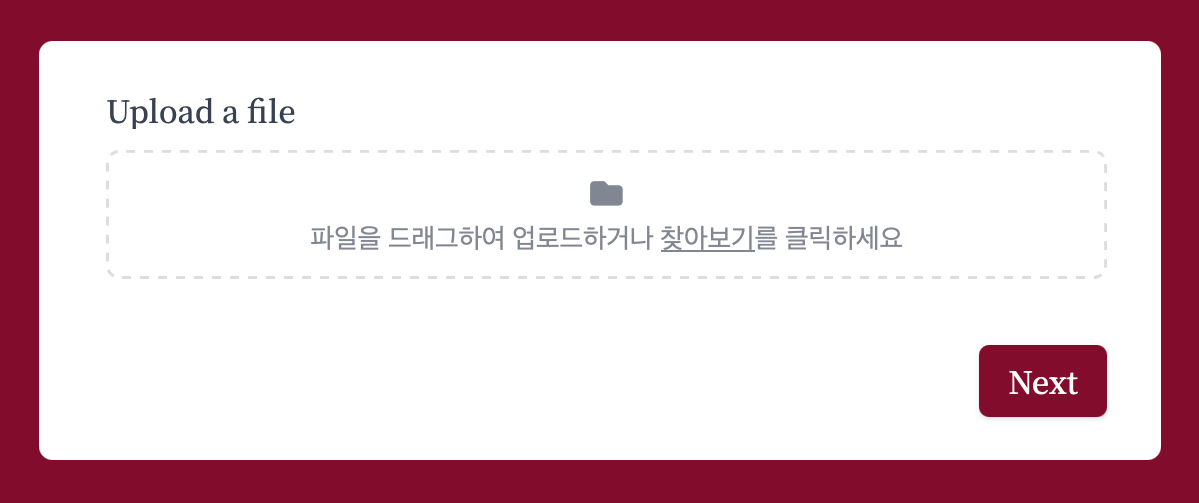
Changing the form’s language will affect system messages throughout the form. For example, the text inside this file uploader field type will automatically be translated into Korean.
<img src="https://mintcdn.com/fillout-005a867b-dependabot-npm-and-yarn-socket-io-parser-4/KKmYfTaGUE6kYImk/images/Screenshot2025-10-16at6.07.23PM.png?fit=max&auto=format&n=KKmYfTaGUE6kYImk&q=85&s=916f5036fc33359fda4728197d26db2c" alt="Screenshot 2025-10-16 at 6.07.23 PM.png" title="Screenshot 2025-10-16 at 6.07.23 PM.png" style={{ width:"75%" }} width="1199" height="503" data-path="images/Screenshot2025-10-16at6.07.23PM.png" />

<Warning>
  This feature only translates text that you can't manually edit. Questions, button labels, text, and choice labels will remain the same. However, you are free to edit them.
</Warning>

## Translate your form

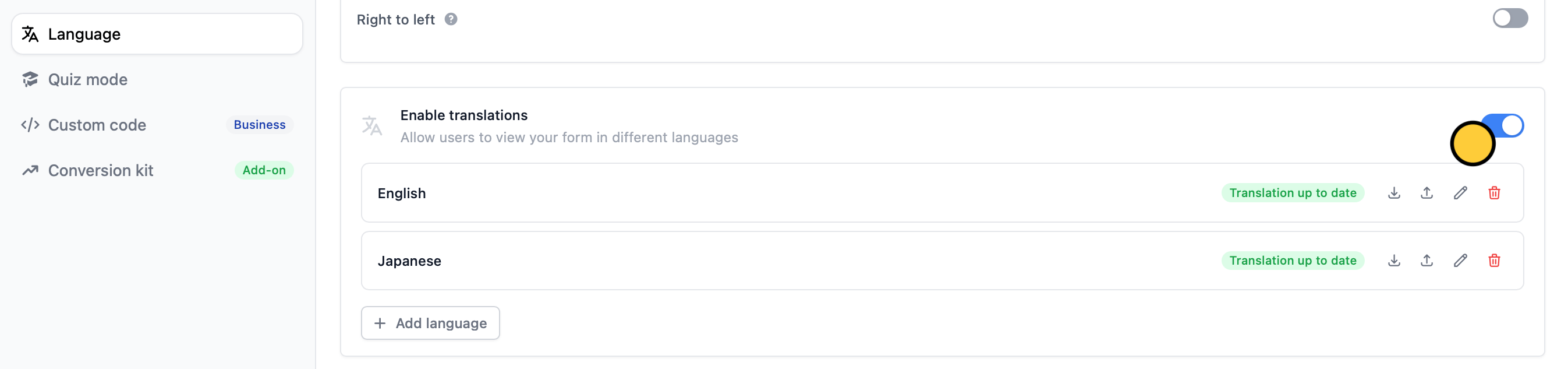
Unlike changing your form’s [**Default language**](https://www.notion.so/Create-multilingual-forms-d67d7d8e65f54e76b9c50dd48816f742?pvs=21), which switches it to a single language, translating your form lets respondents access it in multiple languages. Go to your form’s `Language` settings.

<img src="https://mintcdn.com/fillout-005a867b-dependabot-npm-and-yarn-socket-io-parser-4/KKmYfTaGUE6kYImk/images/Screenshot2025-10-16at6.26.26PM.png?fit=max&auto=format&n=KKmYfTaGUE6kYImk&q=85&s=e2c48d3b042ad15b910f35b943eae86b" alt="Screenshot 2025-10-16 at 6.26.26 PM.png" width="2693" height="633" data-path="images/Screenshot2025-10-16at6.26.26PM.png" />

Then `Enable translations` and `+ Add` your preferred languages.

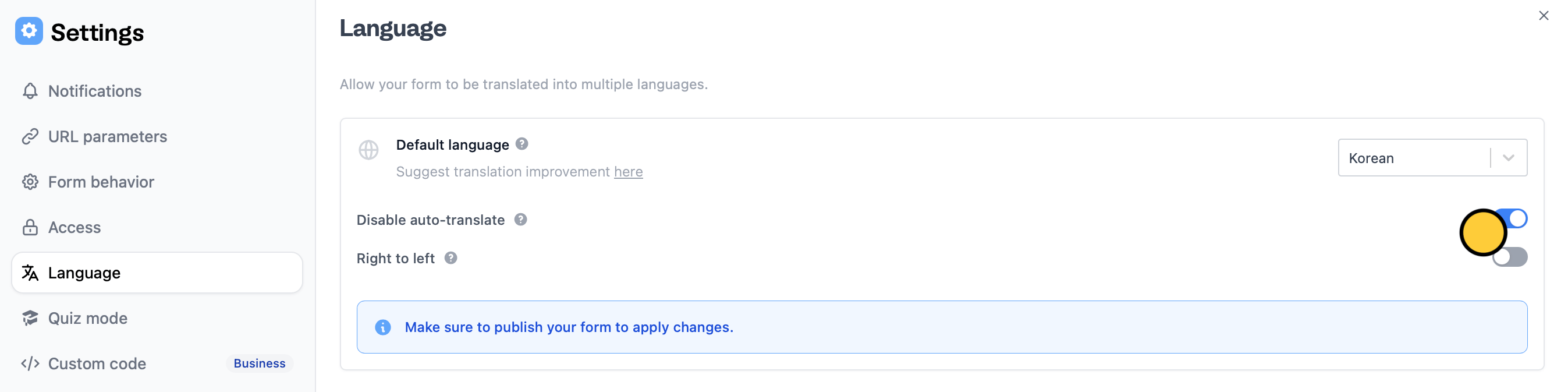
## Disable Google Translate

Many Chrome respondents have Google Translate on, which auto-translates websites. If you’ve already set your form to your preferred language, you can stop the respondent’s browser from auto-translating the form.
<img src="https://mintcdn.com/fillout-005a867b-dependabot-npm-and-yarn-socket-io-parser-4/KKmYfTaGUE6kYImk/images/Screenshot2025-10-16at6.29.03PM.png?fit=max&auto=format&n=KKmYfTaGUE6kYImk&q=85&s=00a5054ca4b77cd472d75ee35d44e12f" alt="Screenshot 2025-10-16 at 6.29.03 PM.png" width="2694" height="673" data-path="images/Screenshot2025-10-16at6.29.03PM.png" />

In your form’s `Language` settings, `Disable auto-translate`.

<SupportBanner />
