> ## Documentation Index
> Fetch the complete documentation index at: https://fillout-005a867b-dependabot-npm-and-yarn-socket-io-parser-4.mintlify.site/llms.txt
> Use this file to discover all available pages before exploring further.

# Disable the confetti effect

> Remove the default confetti effect on the Ending page of your Fillout forms. 

export const SupportBanner = () => {
  const titleId = React.useId();
  return <div className="support-banner" role="region" aria-labelledby={titleId}>
      <span className="support-banner__ring support-banner__ring--outer" aria-hidden="true" />
      <span className="support-banner__ring support-banner__ring--middle" aria-hidden="true" />
      <span className="support-banner__ring support-banner__ring--inner" aria-hidden="true" />
      <span className="support-banner__ring support-banner__ring--center" aria-hidden="true" />

      <div className="support-banner__content">
        <div className="support-banner__title" id={titleId} role="heading" aria-level="2">Still have questions?</div>

        <div className="support-banner__copy">
          <span className="support-banner__line">Our team is happy to help. Start a live chat using the</span>
          <span className="support-banner__line">
            chat bubble <span className="support-banner__chat-icon" aria-hidden="true" /> in the bottom right, or email us at
          </span>
          <span className="support-banner__line">
            <a href="mailto:support@fillout.com">support{'@'}fillout.com</a>
          </span>
        </div>

        <a className="support-banner__cta" href="mailto:support@fillout.com">Contact us</a>
      </div>
    </div>;
};

## How to remove the confetti display

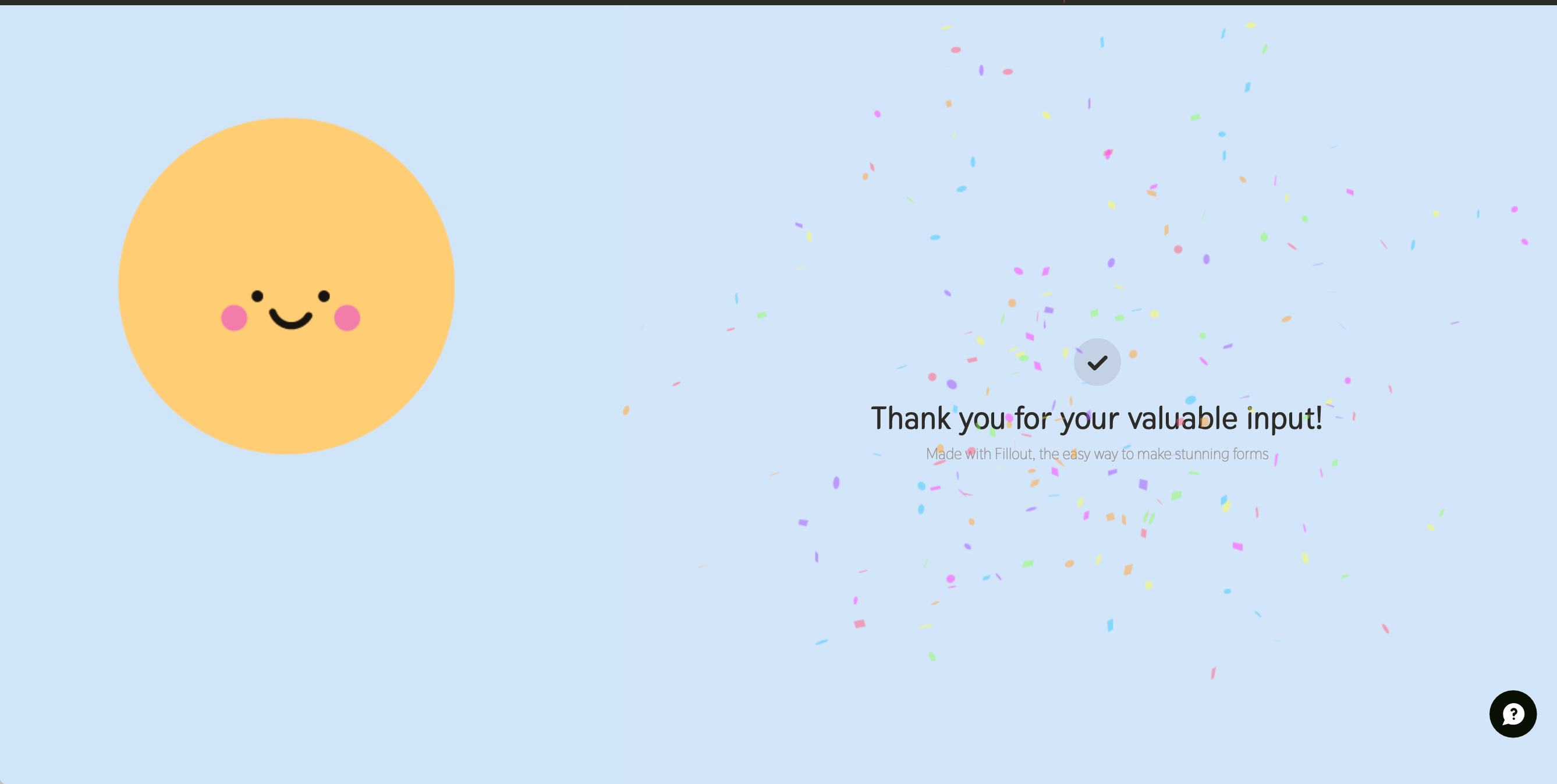
By default, when respondents reach the end of their form submission, confetti will be displayed.
<img src="https://mintcdn.com/fillout-005a867b-dependabot-npm-and-yarn-socket-io-parser-4/YdhW8dhA9tw-ZECD/images/Screenshot2025-02-25at4.35.56PM.png?fit=max&auto=format&n=YdhW8dhA9tw-ZECD&q=85&s=bf632792f69ad1f6f8bb2add6d1f7df9" alt="Screenshot of the Form designer tab of a form" width="2675" height="1347" data-path="images/Screenshot2025-02-25at4.35.56PM.png" />

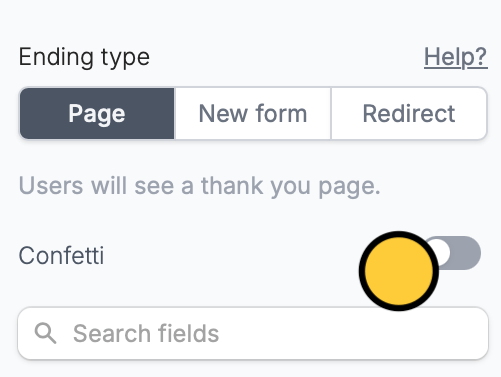
To disable, go to the [**Ending page**](https://www.fillout.com/help/ending-page) (bottom of the screen) and then untoggle the `Confetti` switch.
<img src="https://mintcdn.com/fillout-005a867b-dependabot-npm-and-yarn-socket-io-parser-4/alU31DPdmVo47zXI/images/Screenshot2025-12-01at3.48.19PM.png?fit=max&auto=format&n=alU31DPdmVo47zXI&q=85&s=d5440b3274ffb9c0e4942206fee701f3" alt="Screenshot 2025-12-01 at 3.48.19 PM.png" style={{ width:"27%" }} width="501" height="377" data-path="images/Screenshot2025-12-01at3.48.19PM.png" />

## **Related articles**

<CardGroup cols={3}>
  <Card title="Ending page" icon="party-bell" iconType="regular" color="#FFC738" href="/ending-page">
    Show a thank you page, redirect, or allow re-submission.
  </Card>

  <Card title="Page logic" icon="diagram-project" iconType="regular" color="#FFC738" href="/page-logic">
    Hide or show pages or custom endings based on respondent input.
  </Card>

  <Card title="Progress bar" icon="bars-progress" iconType="solid" color="#FFC738" href="/progress-bar">
    Customize the default progress bar on your form.
  </Card>
</CardGroup>

<SupportBanner />
