> ## Documentation Index
> Fetch the complete documentation index at: https://fillout-005a867b-dependabot-npm-and-yarn-socket-io-parser-4.mintlify.site/llms.txt
> Use this file to discover all available pages before exploring further.

# Edit my account details

> Edit your display name, avatar, linked email, and more.

export const SupportBanner = () => {
  const titleId = React.useId();
  return <div className="support-banner" role="region" aria-labelledby={titleId}>
      <span className="support-banner__ring support-banner__ring--outer" aria-hidden="true" />
      <span className="support-banner__ring support-banner__ring--middle" aria-hidden="true" />
      <span className="support-banner__ring support-banner__ring--inner" aria-hidden="true" />
      <span className="support-banner__ring support-banner__ring--center" aria-hidden="true" />

      <div className="support-banner__content">
        <div className="support-banner__title" id={titleId} role="heading" aria-level="2">Still have questions?</div>

        <div className="support-banner__copy">
          <span className="support-banner__line">Our team is happy to help. Start a live chat using the</span>
          <span className="support-banner__line">
            chat bubble <span className="support-banner__chat-icon" aria-hidden="true" /> in the bottom right, or email us at
          </span>
          <span className="support-banner__line">
            <a href="mailto:support@fillout.com">support{'@'}fillout.com</a>
          </span>
        </div>

        <a className="support-banner__cta" href="mailto:support@fillout.com">Contact us</a>
      </div>
    </div>;
};

## Edit account settings

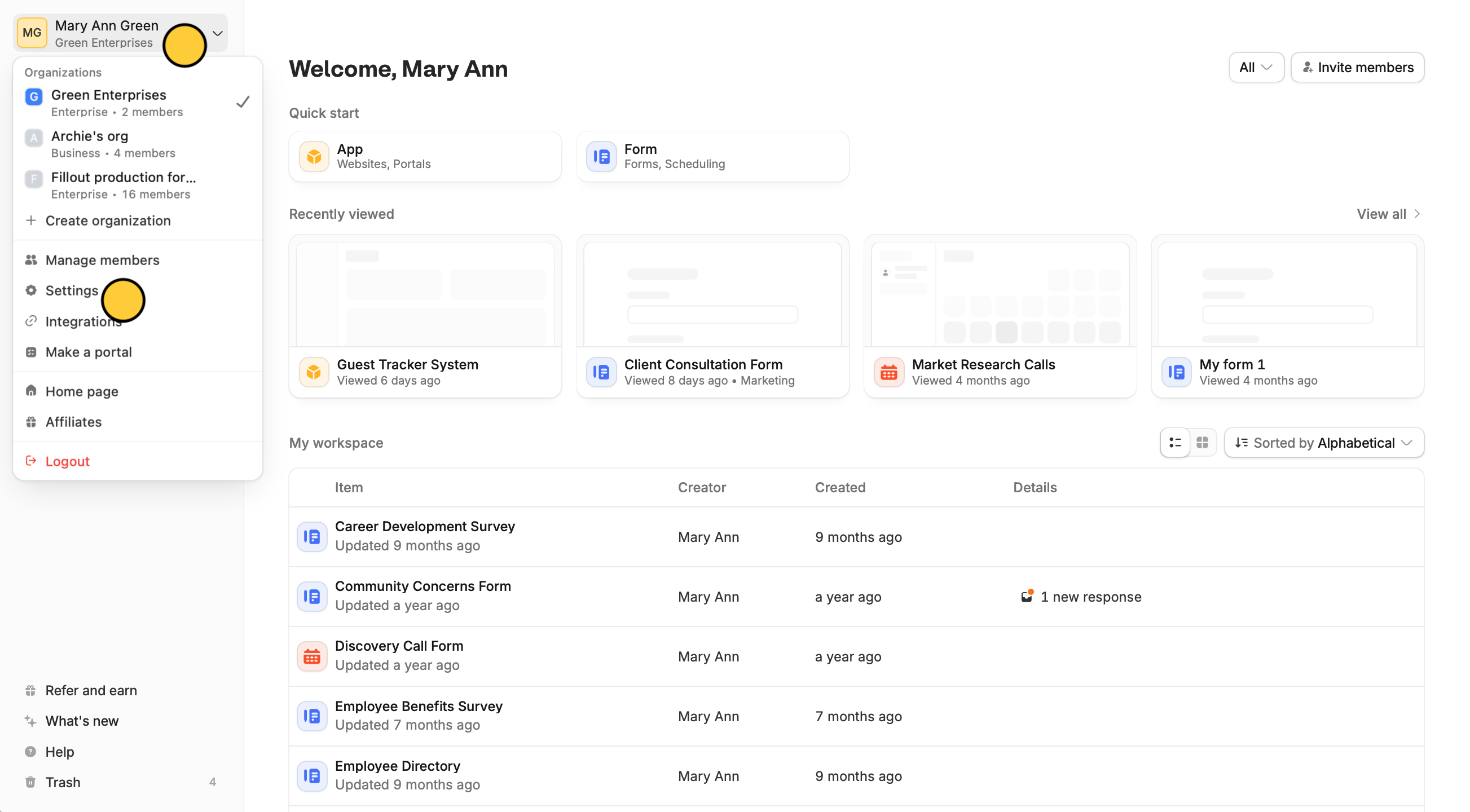
On your dashboard, click your `Account name` followed by `Settings` in the dropdown menu.
<img src="https://mintcdn.com/fillout-005a867b-dependabot-npm-and-yarn-socket-io-parser-4/3ZcO_yEJK-WTjJHC/images/Screenshot2025-10-09at4.20.42PMcopy.png?fit=max&auto=format&n=3ZcO_yEJK-WTjJHC&q=85&s=195f76fad1bffde53e3ee98fb507f102" alt="Screenshot 2025-10-09 at 4.20.42 PM copy.png" width="2606" height="1440" data-path="images/Screenshot2025-10-09at4.20.42PMcopy.png" />

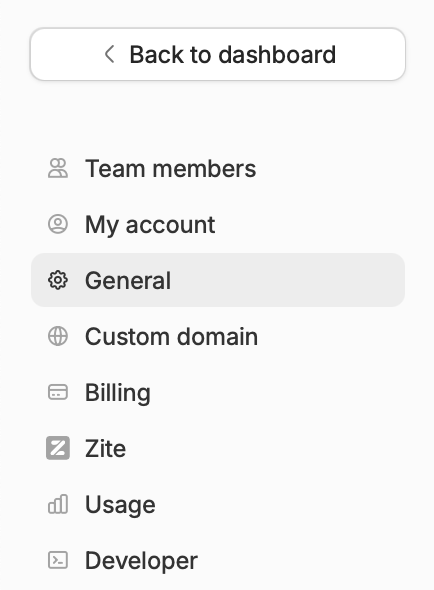
Here, you'll see your team members, invites, account plan, and more.
<img src="https://mintcdn.com/fillout-005a867b-dependabot-npm-and-yarn-socket-io-parser-4/3ZcO_yEJK-WTjJHC/images/Screenshot2025-10-09at3.52.32PM.png?fit=max&auto=format&n=3ZcO_yEJK-WTjJHC&q=85&s=1e91546cbcddd18f4050961c3f681090" alt="Screenshot 2025-10-09 at 3.52.32 PM.png" title="Screenshot 2025-10-09 at 3.52.32 PM.png" style={{ width:"28%" }} width="434" height="590" data-path="images/Screenshot2025-10-09at3.52.32PM.png" />

## Change account email

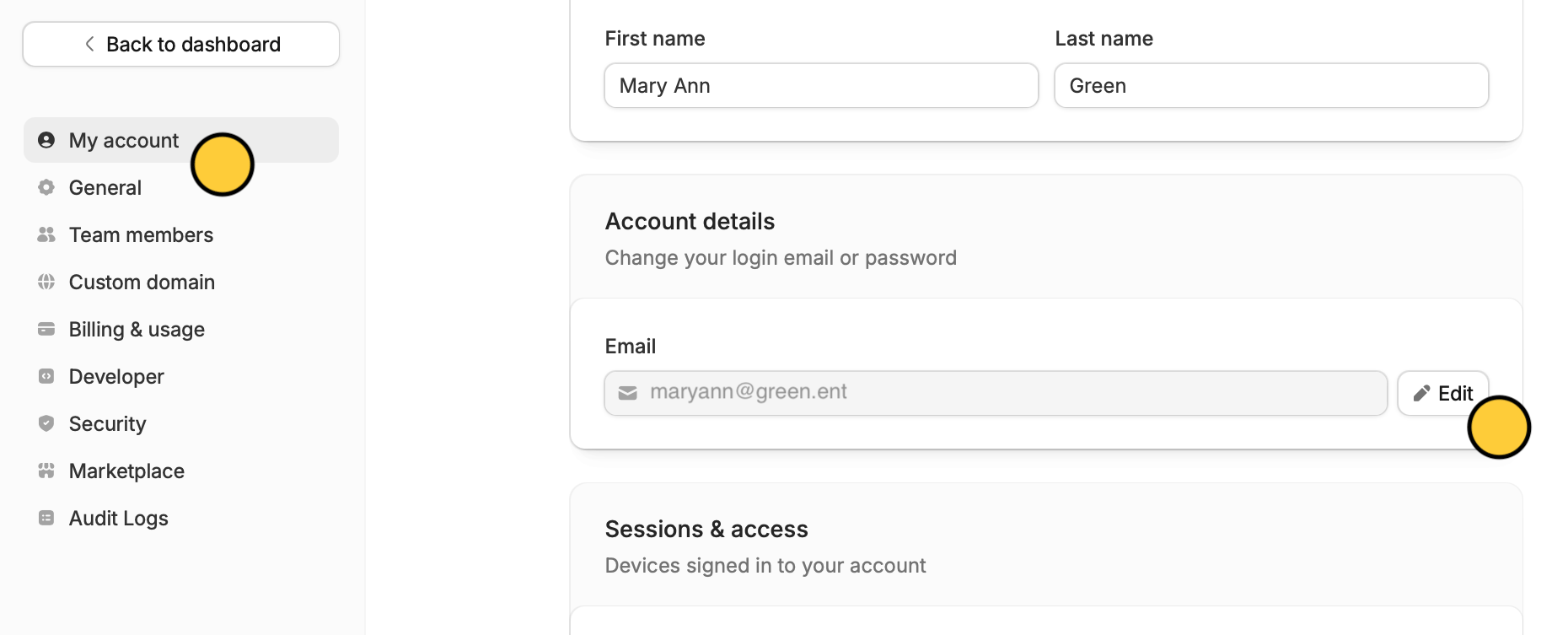
If you want to change the email linked to your account, go to `My account` and update your email.
<img src="https://mintcdn.com/fillout-005a867b-dependabot-npm-and-yarn-socket-io-parser-4/alU31DPdmVo47zXI/images/Screenshot2025-12-11at5.11.47PM.png?fit=max&auto=format&n=alU31DPdmVo47zXI&q=85&s=ea6a963eea197392e0981cc641b1f9d4" alt="Screenshot 2025-12-11 at 5.11.47 PM.png" title="Screenshot 2025-12-11 at 5.11.47 PM.png" style={{ width:"86%" }} width="1860" height="753" data-path="images/Screenshot2025-12-11at5.11.47PM.png" />

Changing your email only applies to the specific organization you are currently working in.

For example, if you change your email from a personal address to your company email while logged into **Company A**, your email and access in **Company B** will remain completely unchanged. You would need to switch to Company B and update it there manually.

## Upgrade plan

To upgrade your plan, go to `Billing` and click `Change plan`. More info [here](/billing-and-payments).

<SupportBanner />
